Read Client Stories





 Alex Kugell

 Key Takeaways
- Native describes who supplies the connector, not how good it is. The label alone does not guarantee more customization, faster updates, or greater reliability.
- The decision that matters is whether an available connector covers your required workflow, or whether the gap justifies engineering work.
- Judge a native connector, a custom API integration, and a third-party platform on the same terms: supported fields and actions, delivery behavior, failure recovery, and who owns maintenance.
- Cost tracks the connector and the build. A native connector is not automatically cheaper, and a custom integration is not automatically more expensive.
- Before commissioning code, document the connected systems, required fields, acceptable delay, failure recovery, and the maintenance owner. That scope shows what engineering work is actually necessary.
A native integration can connect business applications without commissioning a new connector. Whether it suits your business depends on the workflow it supports, the changes you can configure, and who maintains it.
The label alone does not guarantee more customization, faster updates, or greater reliability.
For a product leader, the practical question is whether an available connector covers the required workflow or whether a gap justifies engineering work.
Admittedly, third-party connectors for data integration can accomplish many goals for your business. But is it the best way to get what you really want?
Native integration commonly means a connector provided within one of the applications being connected.
Some suppliers also use the term for integrations built by your own engineers. Ask who provides and maintains the connection, because those meanings imply different responsibilities.
The sections below compare native integrations with APIs and third-party tools, show where each one fits, and set out what they cost to build and maintain in fintech and other regulated sectors.
For skilled developers who can help assess your requirements and implement development, view capabilities.
What Is Native Integration?
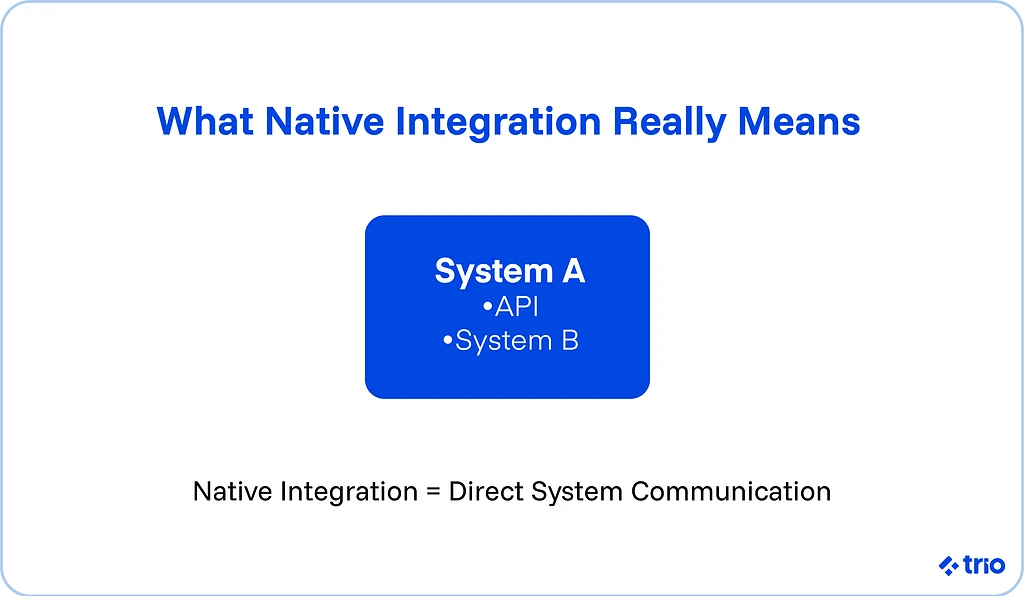
A native integration connects applications through functionality provided within a product, often using application programming interfaces (APIs). The same APIs can also support a custom connector or an integration platform, so API use alone does not make an integration native.
How APIs and Connectors Differ
An API is an interface through which software can request data or actions from another system. A connector uses that interface to carry out a workflow; it still needs the right permissions, supported operations, and rules for handling the data.
API integrations define the connections that occur between systems via the proper implementation of APIs.
What a Vendor Connector Actually Covers
A vendor-provided connector comes with a defined set of supported objects, fields, and actions. Those may fit your business well, but they do not automatically match your internal data model or every workflow rule.
Compare the workflow each option supports rather than treating native as a quality rating. A built-in connector can be restrictive, while a custom integration or integration platform may offer the additional logic you need.
Integrations can connect tools such as marketing automation platforms, content management systems, and business software. Which connections are available depends on the applications' supported interfaces and the connector's capabilities.
Worked Example: CRM to Billing
Consider a hypothetical SaaS company connecting its CRM to billing. Closing a deal should create or update the correct billing customer without producing a duplicate account.
Assume the company needs to match records using a stable customer identifier and send the billing contact, plan, and currency from CRM to billing. Billing-owned account status must not be overwritten. Updates must arrive within ten minutes, and an operations owner must resolve failures before invoicing.
These are hypothetical requirements, not a connector's advertised capabilities. An existing connector fits only if its supported fields, direction, conflict handling, and recovery options meet them.
Native Integration vs. Third-Party Data Integration
Cloud applications and marketing automation can support different parts of a business. Connecting them is useful when it reduces repeated work or keeps the information needed by each team consistent.
Data integration involves syncing business systems together for more efficient management.
There are many data integration tools, many of which are software as a service (SaaS) cloud solutions that are easy to find and use.
How the Three Options Actually Differ
A built-in connector, a custom integration, and an integration platform may all use the same application APIs. Their practical differences include supported operations, configuration options, running costs, and who is responsible when the workflow fails.
For any option, compare the connector's documented fields and actions with the workflow your team needs. A familiar product name does not establish that every required operation is supported.
Custom development becomes relevant when a necessary workflow cannot be configured in the available options. That gap should be specific, such as an unsupported billing field or a conflict rule the connector cannot express.
Where iPaaS Fits
In fact, integration platform as a service (iPaaS) has emerged as its own category for classifying cloud integration business models.
An integration platform as a service (iPaaS) provides tooling for connecting applications and coordinating workflows. Its suitability depends on the connectors, configuration, and extension options available for your process.
Choose between these options by the workflow they can support and the operational work your team can sustain.
Check the Requirement Before You Commit
Any prebuilt connector can leave an unusual requirement unsupported. The relevant question is whether its configuration or extension options cover that requirement.
For example, imagine an inventory workflow adding a second warehouse or changing its product identifiers. A connector must support those changes, regardless of its label. A custom build may let your team change the logic, but the team still has to test and maintain it; a vendor-provided connector may leave those changes with the vendor.
Native Integration vs API vs Third-Party Tools
To make the differences clearer, here is a simple comparison that captures how these approaches relate to one another:
Approach | Who builds and maintains it | Customization ceiling |
|---|---|---|
Native connector | The software vendor ships it and keeps it working | Limited to the fields and actions the vendor chose to expose |
Custom build on the API | Your engineers own the code and the upkeep | Whatever the API permits, with the logic under your control |
Third-party integration tool | The tool provider maintains the connectors between apps | Limited to the connector options and mappings the tool supports |
Native Integration: Commonly a connector supplied within an application, although some suppliers use native to mean an in-house build. For a vendor-provided connector, assess supported fields, actions, and settings, and confirm which maintenance the vendor handles.
Custom/API Integration: Code developed for requirements that available connectors do not cover. Agree who owns changes, monitoring, and support, whether that work sits with your team or a contracted provider. Native connectors and integration platforms can use APIs too.
Third-Party/iPaaS Tools: Platforms that connect applications and coordinate workflows using their connectors and tooling. Assess supported actions, extension options, delivery behavior, permissions, usage charges, and recovery tools for the workflow you expect to run.
Examples of Integration Workflows
Three scenarios show how the same decision plays out in practice. In each one, the connector's supported trigger, fields, and recovery behavior matter more than whether it is labeled native.
Ecommerce: Orders to Fulfillment
Consider an e-commerce company that wants orders from its store to appear instantly in its fulfillment system.
The connector's trigger determines how the order reaches fulfillment. Polling checks for updates at intervals; a webhook sends an event notification.
Zapier documents both polling and webhook-based instant triggers. HubSpot's data-sync guide describes five-minute change checks on its side. Neither the native nor third-party label establishes end-to-end delivery time.
HR: Onboarding to Payroll
Or imagine an HR team onboarding employees. A connector between hiring and payroll systems could create employee records automatically and reduce repeated entry.
Handling sensitive data still requires reviewing requested permissions, transferred fields, and access in both systems; the native label does not settle those questions.
Analytics: Usage Data to Billing
A hypothetical subscription company might send application usage to billing so invoices reflect consumption. Delayed, missing, or duplicate usage could affect billing with any integration approach.
Compare whether each option meets the billing cutoff, identifies usage records consistently, and provides a way to resolve failed transfers.
Advantages of Native Integration
A suitable native connector can reduce the work needed to connect applications.
Its benefits depend on the functionality provided and how closely that functionality matches your workflow.
Customization Depends on the Connector
Customization depends on the connector, not the native label. A vendor-provided connector may offer useful settings while leaving some fields, actions, or workflow rules unsupported. A custom build or an extensible platform may fit those gaps better.
For example, a connector might support standard customer fields but lack the custom account identifier your billing process requires. That limitation matters more than whether the supplier calls the connector native.
A connector's configuration determines what you can change. Vendor-maintained integrations can leave important behavior outside your team's control.
If your team owns a custom integration, it may be able to change the logic directly, subject to the connected APIs' limits. With a vendor-provided connector, a missing capability may require a vendor update, another tool, or additional engineering.
Scalability
As a business grows, an integration needs to support increasing activity without making failures harder to find and resolve.
An integration that transfers the required sales and invoice data can reduce repeated manual entry. That benefit comes from a well-matched workflow, whether the connector is built in, custom, or managed through another platform.
As transaction volume rises, compare how each option handles peak demand and helps the team recover when updates fail.
Take a company with a subscription model. Billing accuracy relies on usage reports, CRM updates, and payments lining up.
For that subscription workflow, compare how each option handles delayed updates, duplicate records, and failed transfers. Billing accuracy depends on those behaviors and the checks around them; a native label does not establish that the systems stay aligned.
Disadvantages of Native Integration
The main trade-offs concern setup effort, capability limits, and ongoing ownership. Separate activating a vendor-provided connector from building and operating a new integration.
Setup and Maintenance
Activating an existing vendor connector may require less work than developing a new one. It still needs configuration and testing. A custom integration adds design, development, and operating work, while an iPaaS workflow has its own setup and support needs.
Before funding a build, identify the requirement that existing connectors cannot meet. More customization only helps when it solves a necessary problem, and the ongoing work fits your team's capacity.
If a build is justified, include development, testing, hosting, and ongoing support in its scope. Agree which responsibilities stay with your team and which a contracted engineering provider will handle.
Owning custom logic can make changes possible, but it also creates work when APIs, credentials, or business rules change. A vendor-maintained connector shifts some work to the vendor without removing your need to oversee the business workflow.
Monitoring, logging, and error handling are additional pieces to think about. Even a simple integration benefits from retry logic, alerts when an API call fails, and a small amount of operational oversight.
These details make the system more resilient, but they do add to the workload.
Cost Depends on the Connector and the Build
Native integrations do not necessarily cost more. Compare the connector or required subscription with setup, usage, and ongoing support. For a custom build, include development, testing, hosting, and maintenance rather than comparing the build quote with a subscription price alone.
HubSpot's data-sync guide illustrates why feature access matters: it lists a Data Hub subscription for custom property mappings and also offers an option to test custom mappings without a paid subscription.
Check the applicable plan and trial conditions for the feature you need. This is an entitlement example, not a quoted integration price.
For a commissioned integration, request a quote against the same required fields, actions, delivery behavior, and support responsibilities used to evaluate existing connectors. That makes the alternatives comparable without pretending there is one standard build price.
Costs vary widely, but even modest projects have long-term expenses. API version changes might require small updates. New workflow steps might need to be added later. All of that is manageable as long as it is acknowledged early.
When to Choose Native Integration vs Other Options
Choose an existing native connector when its supported fields, actions, and configuration meet the workflow, and its delivery behavior, permissions, recovery options, and maintenance arrangement are acceptable.
Accuracy and stability must be evaluated for that connector; they do not follow from its label.
Choose a custom API integration when the workflow is unusual, when neither system supports it out of the box, or when you need control over retries, field mapping, and error handling that a connector does not expose.
Choose a third-party platform when its connectors and workflow tooling meet the requirements at an acceptable total cost and operating burden.
It can support an experiment or an ongoing process; capabilities and ownership matter more than expected lifespan alone.
Best Practices for Building Native Integrations
Mapping your data first helps clarify what needs to sync and when. A simple diagram or outline can prevent confusion later.
Documenting the workflow keeps future developers from guessing at design decisions.
Testing with real or near-real data highlights timing issues or unexpected behavior.
Handling authentication carefully reduces issues that arise when tokens expire. Adding basic error logging helps catch problems before they affect customers.
Planning for API version changes prevents surprises when a vendor updates its endpoints.
Scope the Integration Work You Need
If an existing connector meets the workflow, focus on configuration, testing, and assigning an operating owner before commissioning additional code.
If it does not fit, describe the missing requirement precisely. An unsupported field, action, or recovery rule gives an engineering discussion a clearer starting point than a request for native integration alone.
For a proposed build, document the connected systems, required fields and actions, acceptable delay, failure recovery, and maintenance owner. Use that scope to establish what engineering work is necessary and which responsibilities remain with your team.
Trio connects you with Latin American developers. Meet our Chilean, Brazilian, and Argentine developers, with production experience in fintech.
To talk more about native integrations and their role in your business, request a consult.