

Hire by Technology
SERVICES



Interviewing senior React developers is different from screening for junior or mid-level roles. It is even more complex when you are hiring for fintech roles.
Experience matters because senior engineers have seen things break in production, have formed opinions about state architecture under pressure, and can explain why a decision made sense at the time, even if they'd make it differently now.
In fintech specifically, senior React interviews need to look for an understanding of industry nuances, such as why floating-point arithmetic corrupts financial data, or why a re-render in a real-time trading interface matters more than in an e-commerce cart.
Making a mistake during the interview process can lead to hiring a developer who creates compliance and security risks for your application, leading to regulatory action and even a loss of user trust.
Let’s go over some of the React interview questions that you need to ask senior fintech developers to ensure you find the right fit for your company.
The entire hiring process can be very time-consuming. The more specialized the position you are hiring for, the more time it is likely to take.
At Trio, we pre-vet React fintech specialists. This means that you can connect with the right person in as little as 3-5 days. All you need to do is the final interview.
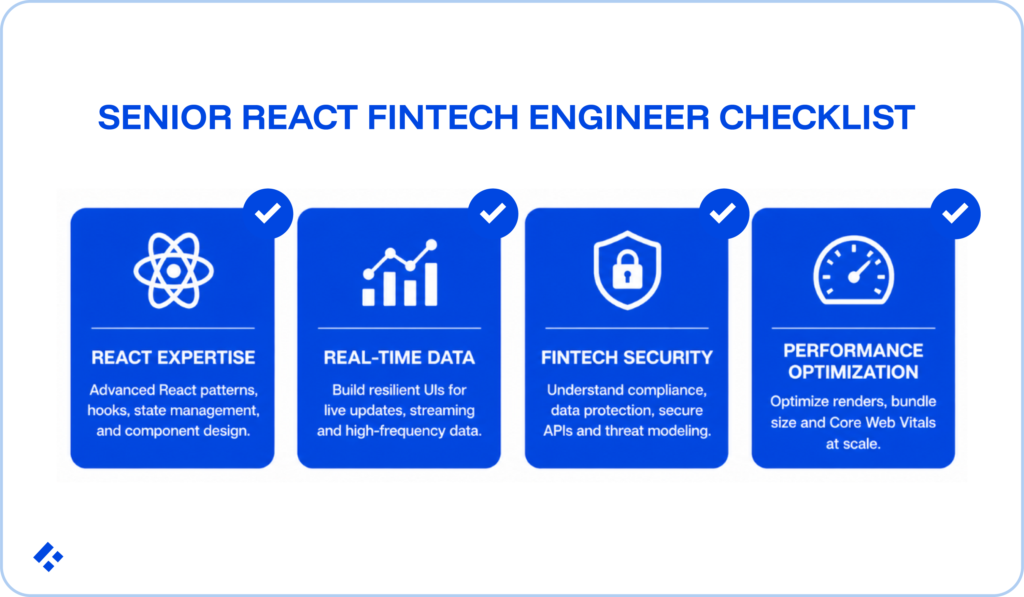
Technical skill becomes absolutely essential at the senior level, since these developers are likely to make architectural decisions that impact the rest of your application. It is important that you assess a potential developer’s abilities thoroughly.
Yes. The most reliable approach combines the AbortController API with the useEffect cleanup function.
useEffect(() => {
const controller = new AbortController();
fetch('/api/transactions', { signal: controller.signal })
.then(res => res.json())
.then(data => setTransactions(data))
.catch(err => {
if (err.name !== 'AbortError') console.error(err);
});
return () => controller.abort();
}, []);
The cleanup function runs when the component unmounts or before the next effect fires.
Calling controller.abort() there cancels the in-flight request and prevents the state update from reaching an unmounted component.
If you are hiring developers for fintech applications, you will want them to mention how users frequently navigate between transaction views, and how this pattern prevents stale data from appearing in the wrong component.
When a component is rendered in a React app, its state persists as long as it remains at the same position in the UI tree.
If the component unmounts and remounts at a different position, its state resets.
To preserve state across position changes, you must render the component inside a consistent parent element so it stays at the same location in the tree.
Alternatively, developers can use a key prop to explicitly control component identity. Giving a component the same key across re-renders tells React to treat it as the same instance, while changing the key tells React to unmount and remount it entirely.
In fintech dashboards, this pattern is often seen when users switch between account views or filter transaction tables.
You need to look for an understanding of what drives a remount, as this will prevent unexpected state loss in data-heavy interfaces.
useMemo memoises the return value of a function. useCallback memoises the function itself.
// useMemo: memoises a computed value
const sortedTransactions = useMemo(
() => transactions.sort((a, b) => b.amount - a.amount),
[transactions]
);
// useCallback: memoises a function reference
const handleSelect = useCallback((id) => {
setSelectedId(id);
}, []);
Use useMemo when an expensive computation shouldn't re-run unless its inputs change. Use useCallback when a function is passed as a prop to a memoised child component, and you want to preserve reference equality across renders.
Developers avoid both when the computation is fast, or the child component isn't memoised.
Premature memoisation adds overhead without benefit. With the React 19 Compiler enabled, idiomatic React code rarely requires manual memoisation at all. Instead, the compiler inserts it automatically where it's safe.
The Virtual DOM is a lightweight, in-memory representation of the actual DOM.
When state or props change, React creates a new Virtual DOM tree and compares it against the previous one using a diffing algorithm. React then applies only the minimum set of changes to the real DOM.
This process is called reconciliation, and uses two key assumptions to achieve O(n) complexity rather than the O(n³) cost of a naive tree comparison. Elements of different types produce different trees (so React replaces rather than diffs), and the key prop provides stable identity for list items.
Lists without stable keys can cause React to reuse the wrong component instances, which leads to bugs that are very difficult to trace.
In a controlled component, React owns the form input's value through state. This means that every keystroke goes through an onChange handler that updates state, and the input's value prop renders whatever state holds.
In an uncontrolled component, the DOM manages the input's value. React reads it via a ref when needed.
Controlled components suit fintech forms like payment flows, KYC data entry, and multi-step onboarding, because they allow real-time validation, conditional rendering based on field values, and precise control over what gets submitted.
Uncontrolled components work for things like simple forms, where you only need the value at submission and don't need to validate on every keystroke.
useReducer tends to work better than useState when the state has multiple related fields that update together, when the next state depends on the previous state in non-trivial ways, or when you want to centralise complex state transitions.
A good example is a financial portfolio filter, with multiple interdependent criteria (asset type, date range, currency, minimum value).
Each filter action changes the shape of the results, and having all transitions defined in a single reducer makes the logic easier to test and reason about than a collection of independent useState hooks.
Keys give React a stable identity for list items across renders. When the list changes, React uses keys to determine which items were added, removed, or reordered, rather than re-rendering the entire list.
Using array indices as keys tends to cause problems when items can be reordered or deleted.
In these cases, React may reuse component instances incorrectly, leading to bugs where the wrong component's state appears attached to the wrong item.
Instead, you need to use a stable, unique identifier from your data, like a transaction ID or account number.
Portals render a child component into a DOM node that exists outside the parent component's hierarchy.
ReactDOM.createPortal(<Modal />, document.getElementById('modal-root'));
Common use cases for portals include things like modals, tooltips, dropdown menus, and toast notifications, where a parent container with overflow: hidden or a stacking context would clip or obscure the UI.
Portals still behave as normal React children, and event bubbling follows the React tree rather than the DOM tree.
React Suspense lets you defer rendering a component until a condition is met, displaying a fallback in the meantime.
When you combine this with React.lazy, it enables code splitting, where a component's JavaScript is only loaded when React needs to render it.
const TransactionHistory = React.lazy(() => import('./TransactionHistory'));
function Dashboard() {
return (
<Suspense fallback={<div>Loading...</div>}>
<TransactionHistory />
</Suspense>
);
}
For fintech dashboards with multiple heavy views, code splitting across routes reduces the initial bundle size. This ends up improving load time for the authentication flow and landing page without sacrificing the functionality of data-heavy views that users reach later.
React.memo wraps a functional component and prevents re-renders when the incoming props are shallowly equal to the previous render's props.
const AccountSummary = React.memo(function ({ balance, currency }) {
return <div>{currency} {balance}</div>;
});
For this to work, the props passed to the memoised component must be stable across renders.
Objects and functions created inline on every parent render defeat the shallow comparison. useMemo stabilises object references; useCallback stabilises function references.
With the React 19 Compiler, manual use of React.memo, useMemo, and useCallback are largely unnecessary in idiomatic code.
Instead, the compiler inserts equivalent memoisation automatically. If you're working on an older codebase, understanding the manual patterns is still very important, though.
Several changes affect common patterns:
React 19 is currently the latest version of React. If you are working in industries like fintech, it is critical that you assess a developer’s familiarity with this latest software, as it will be the most secure and scalable option.
Actions are async functions passed to React APIs that run inside a transition. React tracks pending state, surfaces errors, and applies updates without requiring manual loading flag management.
async function submitPayment(prevState, formData) {
const result = await processPayment(formData.get('amount'));
if (result.error) return { error: result.error };
return { success: true };
}
function PaymentForm() {
const [state, dispatch, isPending] = useActionState(submitPayment, {});
return (
<form action={dispatch}>
<input name="amount" type="number" step="0.01" />
<button disabled={isPending}>Submit Payment</button>
{state.error && <p>{state.error}</p>}
</form>
);
}
For fintech onboarding flows and payment forms, this pattern replaces the standard try/catch/loading/error boilerplate with a single hook.
Server Components render on the server and stream their output to the client. They never ship JavaScript to the browser, can access server-side resources directly, and cannot use hooks or event handlers.
In fintech, Server Components suit content that benefits from server-side rendering and doesn't need client interactivity, like financial product marketing pages, rate tables, compliance documentation, and static eligibility information.
Authenticated trading dashboards and real-time account views still belong in Client Components.
While pure technical assessments can be valuable, scenario-based questions provide insight into the way that developers reason through issues.
There's no single correct answer, but one well-established approach is Storybook. Storybook lets you build and render components in isolation, independent of application state.
Key benefits in a fintech engineering context include visual regression testing to catch unintended UI changes, automatic documentation generation, interaction testing, and accessibility audit tooling.
If you are maintaining a design system used across multiple fintech products, it provides the component inventory and version history that prevents inconsistencies from accumulating over time.
This question comes up in fintech interviews more than most general React questions, so the answer matters.
The main risk is triggering too many re-renders due to market data updates. A few approaches that tend to work well in practice:
First, colocate the state as close to the consuming component as possible. If only one chart component needs a price feed, that subscription belongs in that component, not at the application root.
Second, consider whether every update needs to trigger a render at all. useRef stores mutable values that don't cause re-renders. For display purposes where a value renders on the next render cycle anyway, batching updates via useTransition or startTransition keeps the UI responsive while marking price updates as non-urgent.
Third, for large lists of updating instruments, windowing libraries like react-window render only the visible rows, which reduces the number of DOM nodes React needs to manage as data changes.
Great React developers aren’t necessarily experienced in the unique requirements of financial technology. It is important that you assess understanding of compliance, as well as production experience.
Monetary amounts should never be stored as JavaScript floats in component state. Floating-point arithmetic produces rounding errors that accumulate across calculations and display as incorrect values in financial UIs.
The correct approach stores amounts as integer minor units (pence, cents, fils) and converts to display format only at render time.
This is what that might look like:
// State: integer minor units
const [amountMinorUnits, setAmountMinorUnits] = useState(0);
// Display: convert at render
const displayAmount = (amount, currency) => {
return new Intl.NumberFormat('en-GB', {
style: 'currency',
currency,
}).format(amount / 100);
};
A candidate who reaches for Number.toFixed(2) and calls it correct likely hasn't encountered this class of bug in production.
Several things come up in fintech specifically.
Payment input fields that enter the PCI DSS scope need special treatment. The cleanest approach is to use an embedded iframe or hosted payment field from a provider like Stripe Elements, which keeps cardholder data entirely outside your application's DOM and JavaScript context.
Doing this keeps your application in the simpler SAQ A compliance path.
If you build your own card input (SAQ D territory), you need to ensure sensitive values never enter React state or console logs. Custom input components that use refs instead of controlled state can help here.
Form validation for financial data tends to require more specificity than general form libraries provide.
Account numbers, sort codes, IBANs, and card numbers all have specific validation rules, and all fall under a variety of regulations. Centralising this in custom hooks rather than inline validation logic makes the rules auditable and testable.
Public and authenticated sections have very different state requirements. Treating them the same can create complexity that compounds over time.
Public sections, marketing pages, rate calculators, and product information rarely need a global state. Server-side rendering via Next.js handles most of the data requirements. Any client state is local and transient.
Authenticated sections typically need a shared authentication context, user account data, and often real-time data subscriptions.
A lightweight global store (Zustand or React Query for server state) tends to work better than Redux for mid-sized fintech products. Redux is the best option when state transitions are complex enough that the structured action/reducer model provides meaningful debugging value.
Keeping these two concerns architecturally separate, rather than putting everything into a single global store, tends to reduce the surface area of bugs the most and keeps each section of the application easier to maintain.
There are several non-technical questions that are incredibly relevant to React work in financial applications.
This question assesses versatility and production experience.
There are no wrong answers, but it is good to prompt developers to be specific. Vague answers here signal either limited breadth or a reluctance to speak about previous projects.
A strong answer describes a real integration, names the technologies involved, identifies a specific technical challenge, and explains how the candidate resolved it.
Further, ask about what broke unexpectedly, what the constraint was, and what the trade-off looked like.
In fintech contexts specifically, you need to look for experience integrating with payment provider SDKs, identity verification APIs, banking data aggregators, or real-time data feeds.
Each integration type brings its own error handling, rate limiting, and compliance considerations.
A strong answer typically needs to include:
Senior developers on high-performing teams tend to treat code standards as a non-negotiable part of team infrastructure. They participate consistently and update them when the codebase changes in ways that make old standards less useful.
You can prompt developers about the relevance in fintech codebases, too.
The engineers who touch a payment flow in 18 months may not be the ones who wrote it, and the regulatory audit trail depends on the code being readable enough to explain to a compliance team.
Hiring React developers for fintech projects can be a time-consuming process. However, mistakes could be incredibly detrimental.
A developer who can build a good frontend but who does not have fintech production experience might create security vulnerabilities and compliance backlash.
At Trio, we provide pre-vetted developers with proven experience in financial applications. These developers can be placed in as little as 3-5 days.